
Calls · Chats · Posts · One number
Your number.
Your people.
Nobody else.
nmbr is a nine-digit number and an app for calls and chats, where only people you accept can reach you. It’s encrypted, and its AI keeps notes for you, so the plans, promises and insights from your conversations are there when you need them, and you can ask it about them anytime.
Free. It takes a minute, and the good numbers go first.
iPhone, Android and the web. No SIM, no carrier, no country code.
Done with spam and strangers?
Only the people you say yes to can call you, text you or see your posts.
How it worksTravel a lot?
One number that travels with you, on any wifi or data plan, whatever SIM is in your phone this month.
nmbr on the roadRunning your own agent?
Give it a nmbr and text it from your phone. It asks before it acts.
nmbr for developers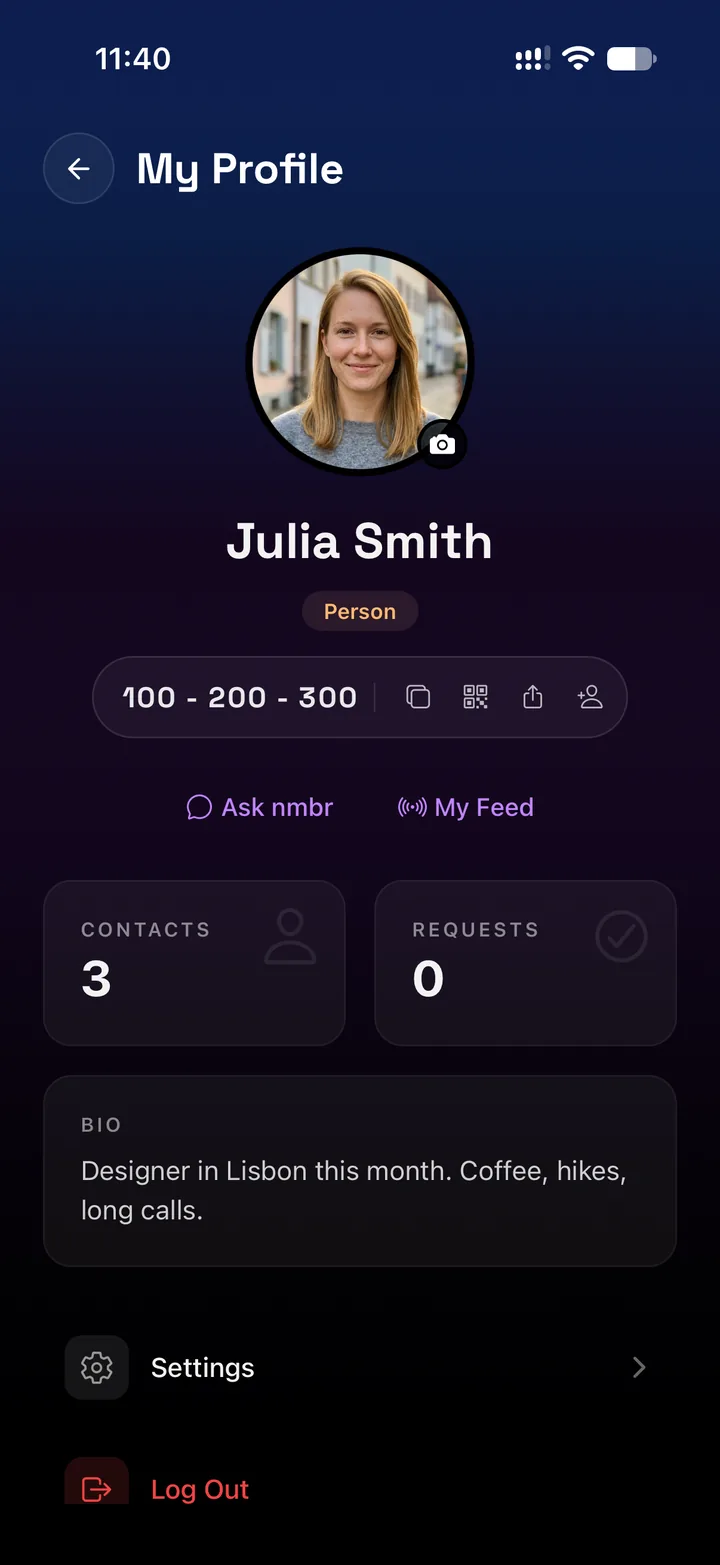
01 A closed network
No strangers. No spam.
A traditional phone number lets anyone who has it reach you. A nmbr works the other way round: your nine digits let someone ask, and you decide.
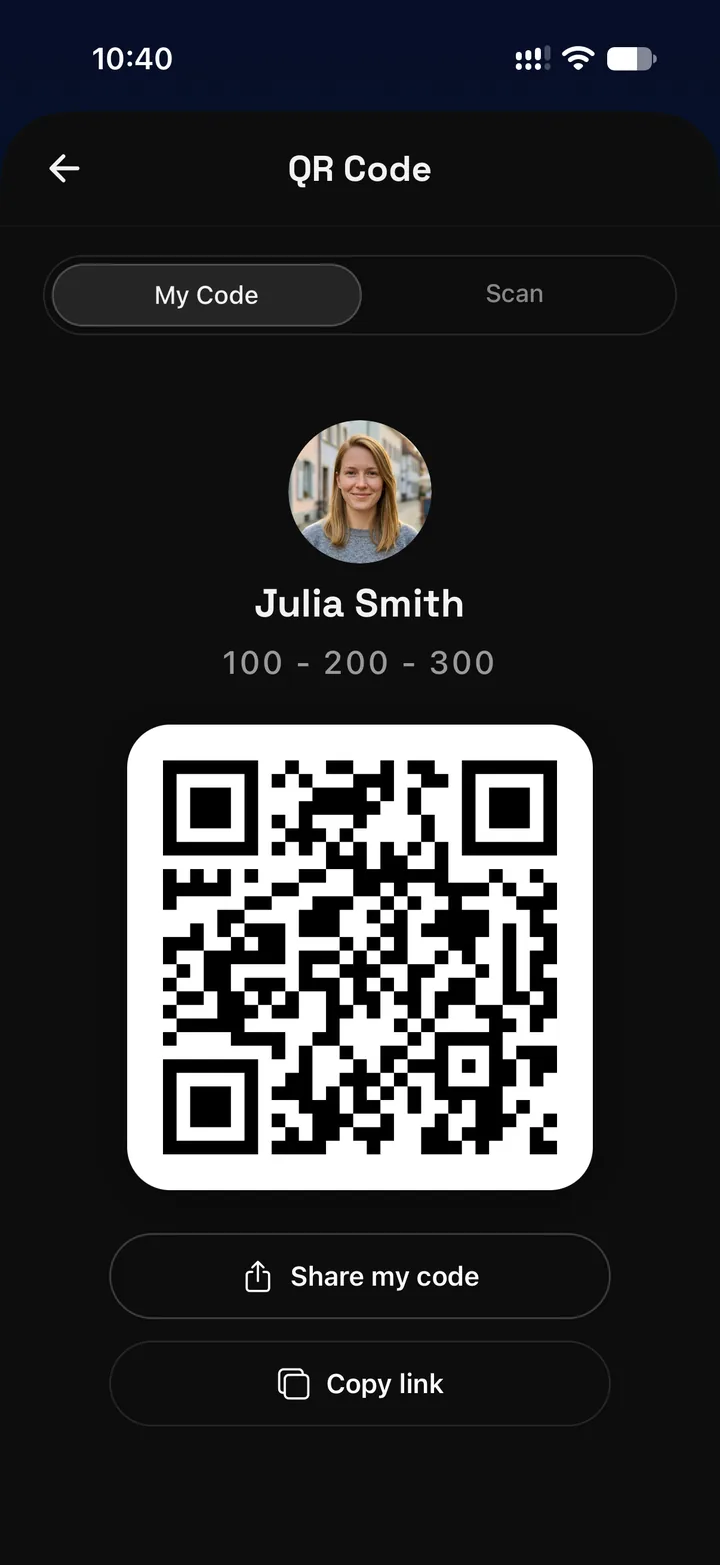
- 1 / 4Share it freely.Nine digits and a QR code. Hand them out as widely as you like: having them only lets someone ask. For the people you want on nmbr, send an invite link, and you are connected the moment they join.
- 2 / 4They ask. You say yes.Maya typed your nine digits and a request landed on your phone. One tap, and she is in. Until then, nothing reaches you.

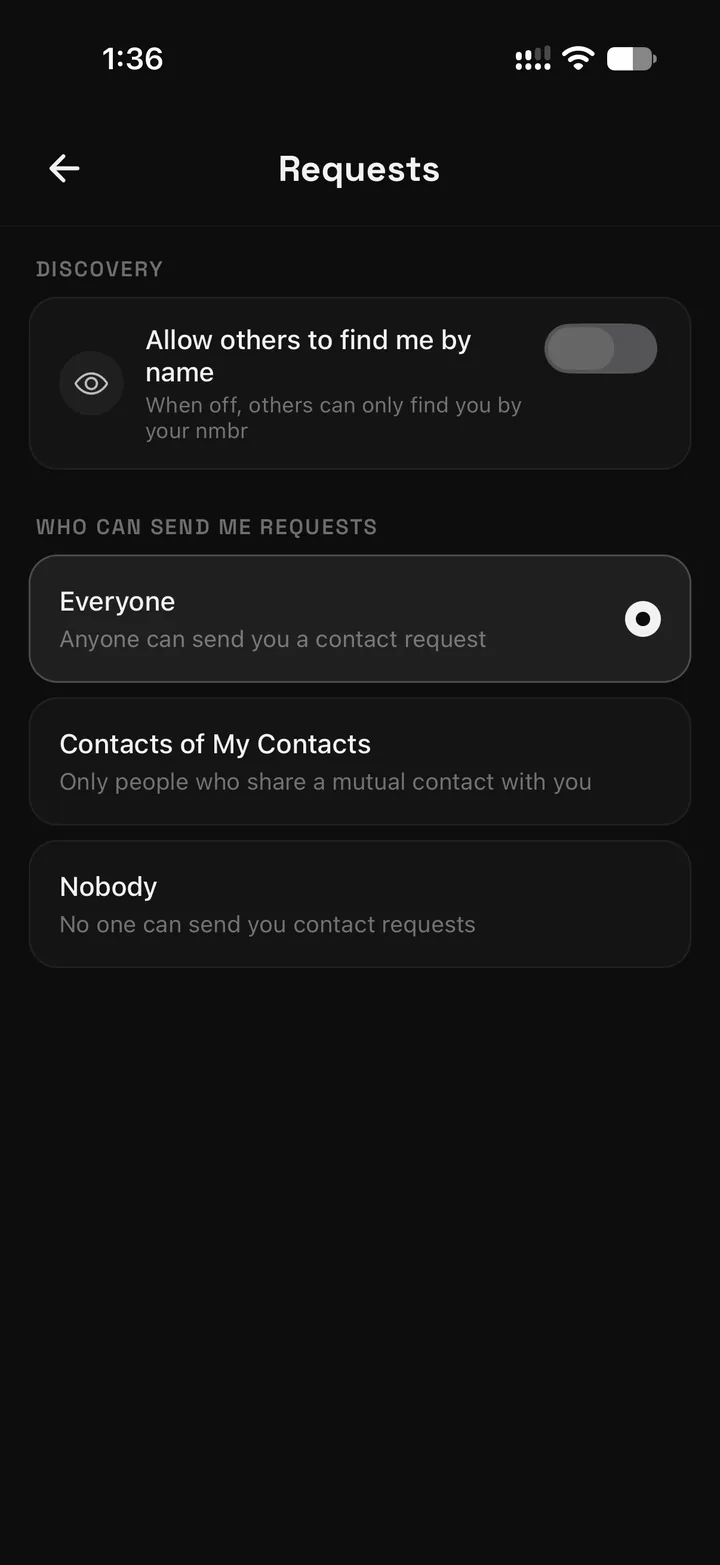
- 3 / 4Set the door the way you like it.Open to everyone, open to friends of friends, or closed for now: you choose who may even ask.
- 4 / 4In person, just scan.Show your code, they scan it, and the request is on your phone before you have put it away.
02 On the road
One number, in every country you live in.
Your nmbr is not tied to a SIM card, a carrier or a country. Swap SIMs at every border, switch to a travel eSIM, lose your phone in Lisbon: your people reach you at the same nine digits, same as always.
100-200-300
There is no SIM to swap
Nobody can talk a carrier into moving your number to their phone, because no carrier holds it.
Any wifi, any data plan
Calls and chats run over the internet, on your phone or in a browser on a borrowed laptop.
What it does not do yet
A nmbr reaches other nmbrs. It does not receive SMS or calls from ordinary phone numbers, so keep your old number for your bank’s codes. Data-only plans that replace it are planned.
03 The home screen
Open the app. Ask it anything.
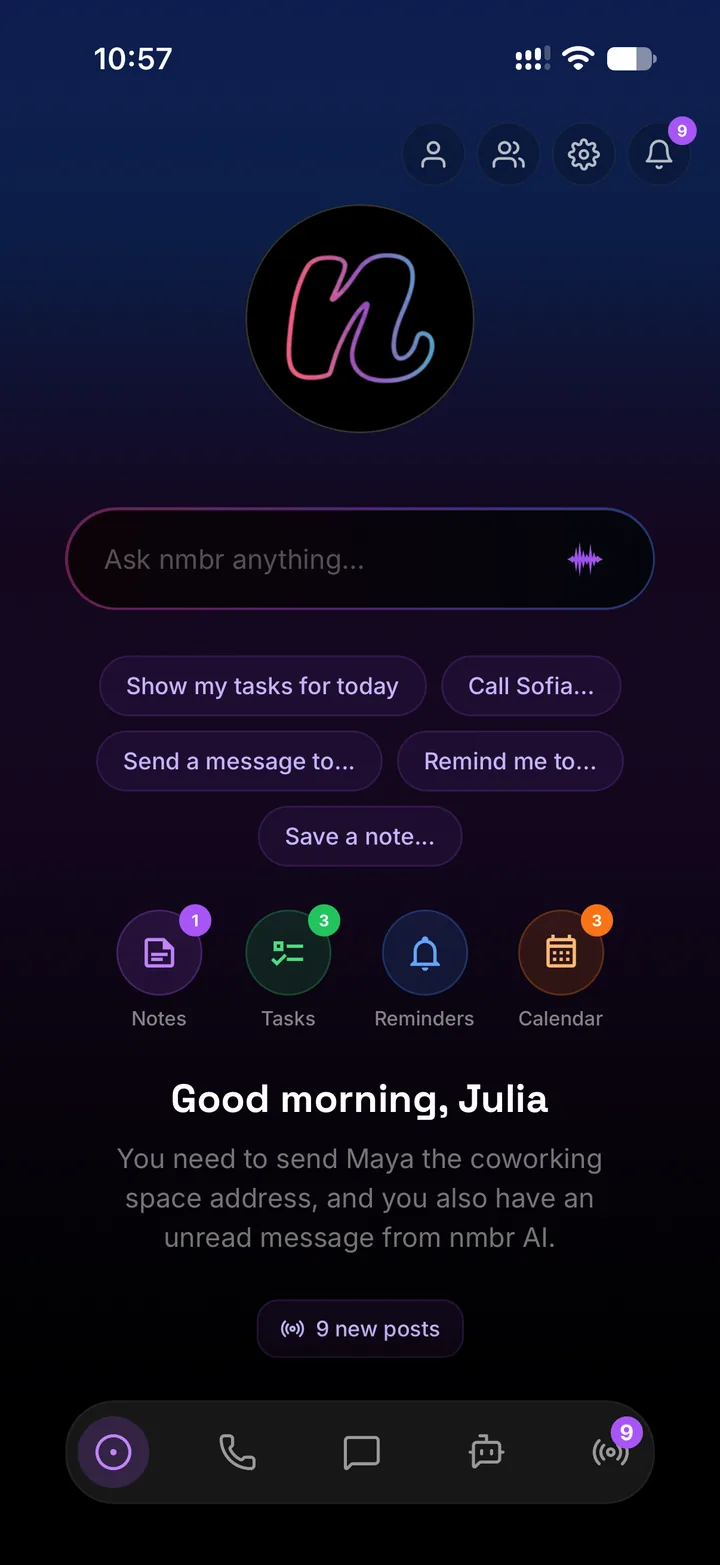
The first thing you see is a box to type into, or tap and just say it, with a short briefing on your day underneath. You can ask it about the content of your own chats, calls and notes, and about anything on the internet too.
Say “remind me” in a chat or on a call and it becomes a reminder. Tasks and calendar events appear the same way. Notes, tasks, reminders and calendar are one tap away.
04 Memory
A second memory.
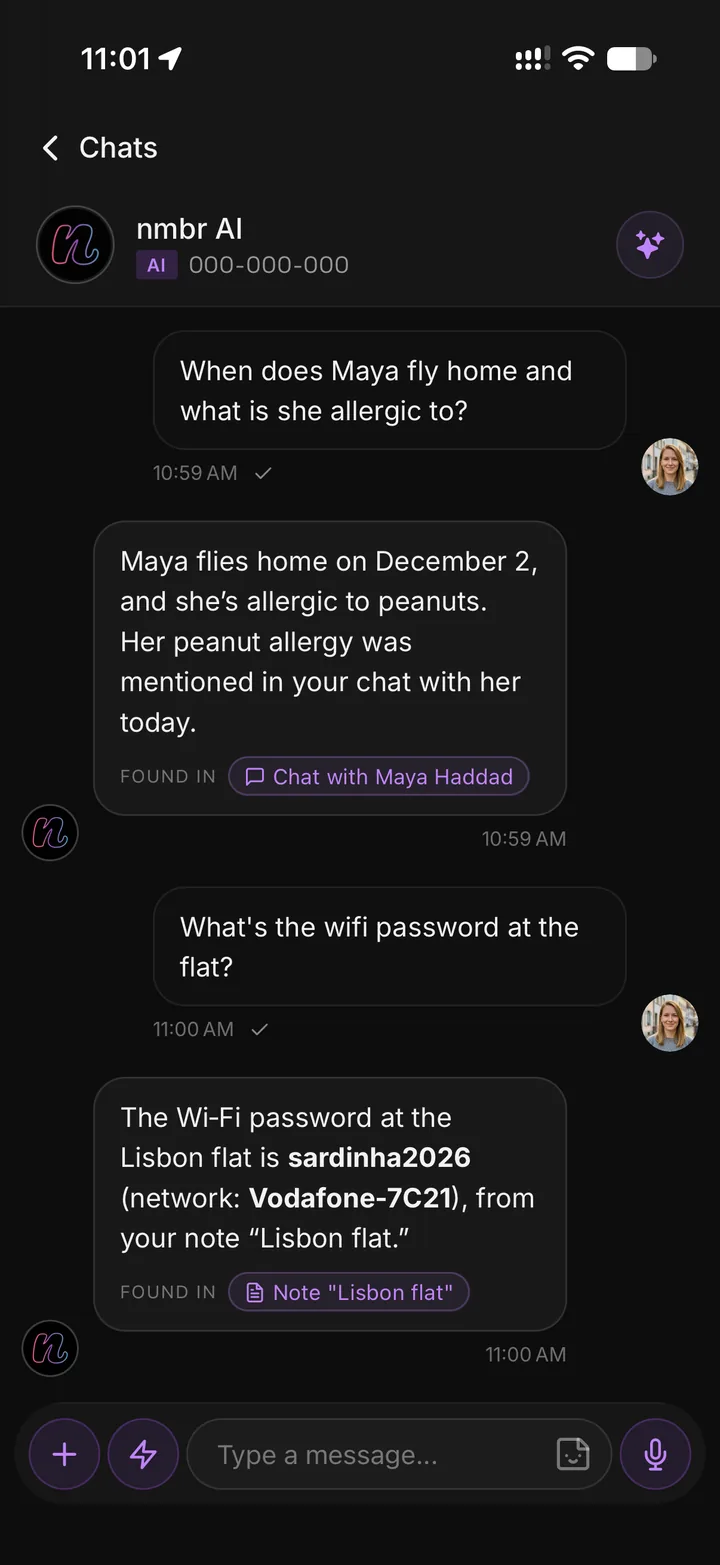
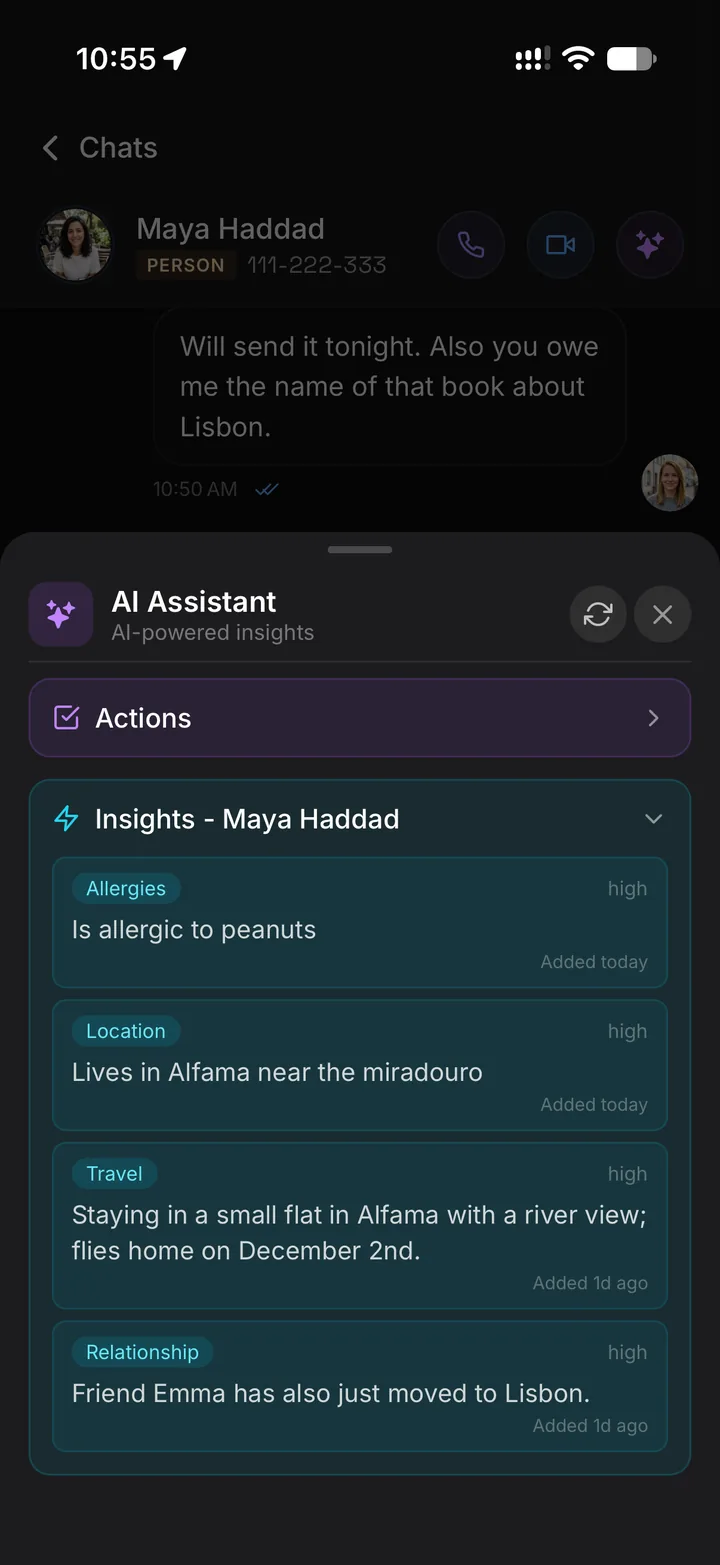
On a call last month, Maya mentioned she is allergic to peanuts and flies home on December 2nd. In a month you would have forgotten. Now nmbr remembers everything for you. Birthdays, pets, allergies, where someone works: the small things people tell you, ready when you need them.
- 1 / 2Ask in plain words.When does Maya fly home? What is she allergic to? The answer comes with a link to the exact message, so you can check it. The wifi password? Straight from your note.
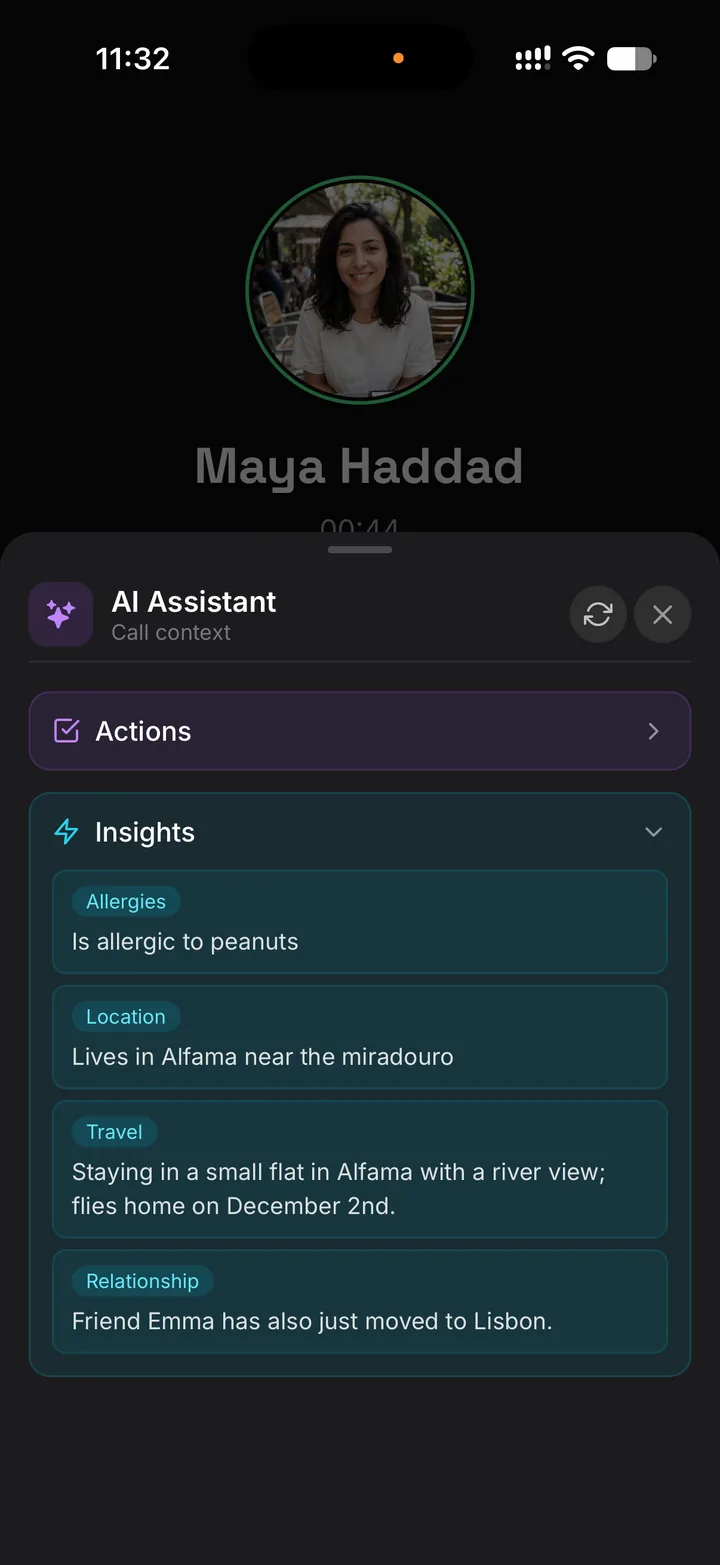
- 2 / 2A quick refresher before you reply.Open the AI panel in any chat for what you know about that person, in one place: the peanut allergy, the flat in Alfama, the friend who just moved to Lisbon.
05 Calls and chats
Calls and chats that take their own notes.
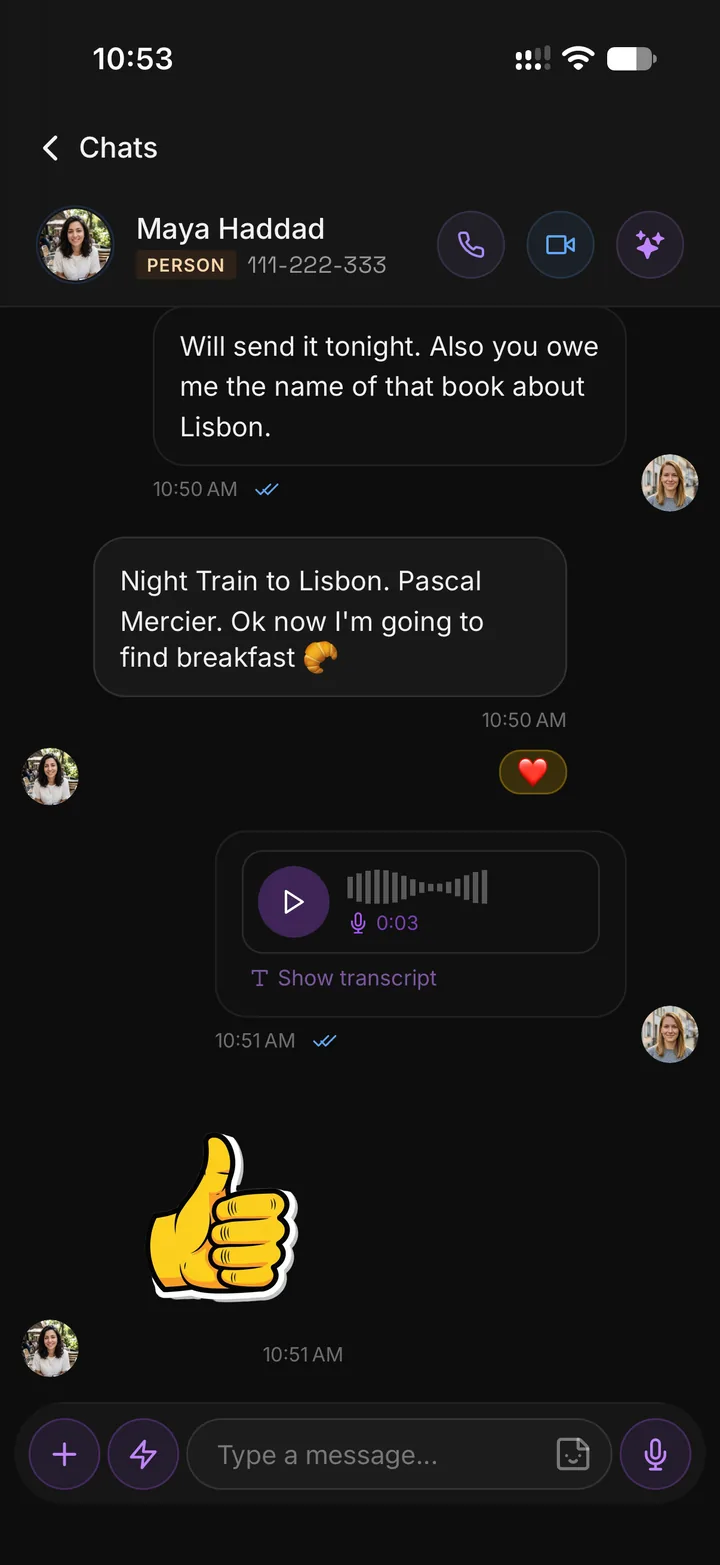
Voice and video, one to one or in a group. Texts, photos, video, voice messages, stickers, reactions, streaks. It all works the way you expect, and then it takes care of the part you never have time for. Nothing is analysed while you talk; the notes are written after you hang up. One call with Maya, start to finish:
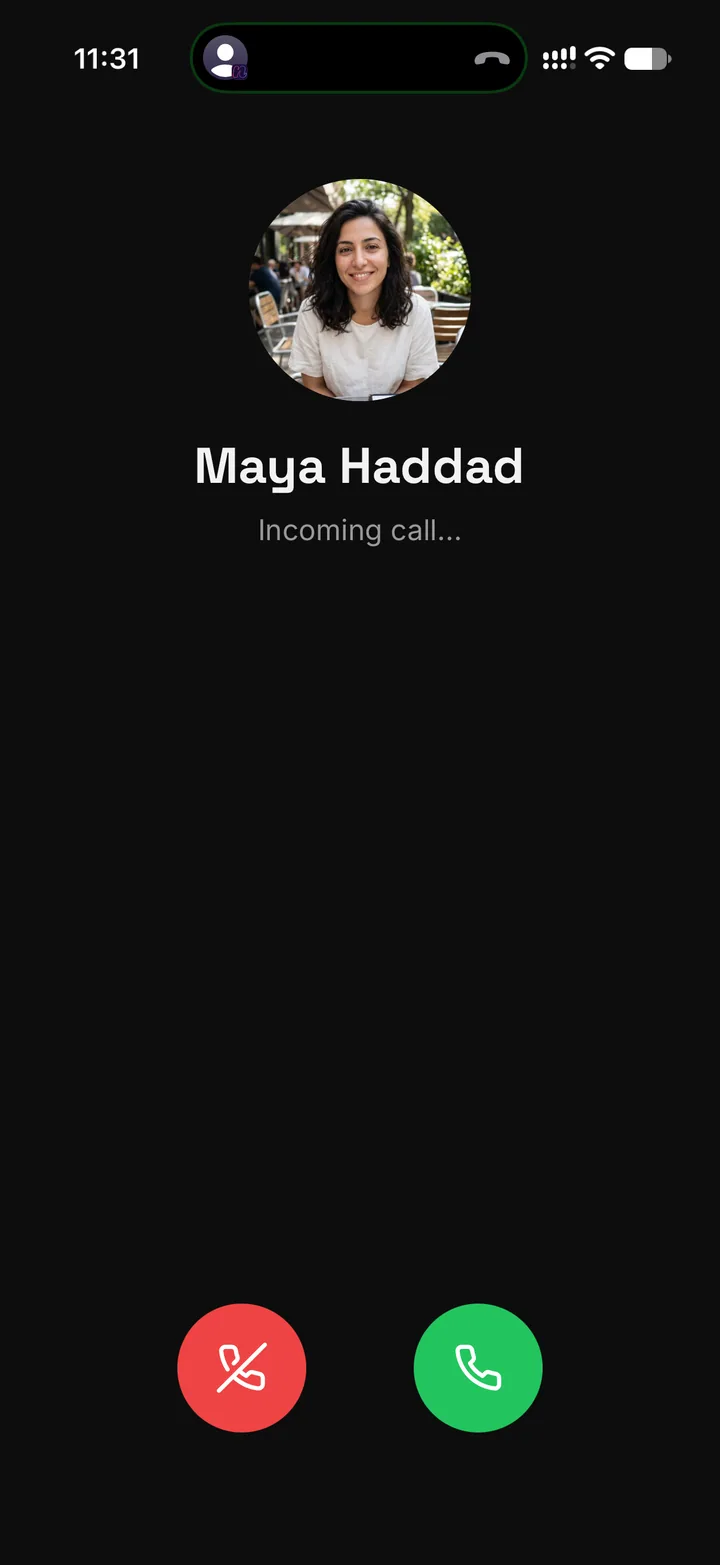
- 1 / 7It rings like a phone.Maya's call shows on your lock screen like any other. Answer, and you are talking over wifi or data, no carrier in between.
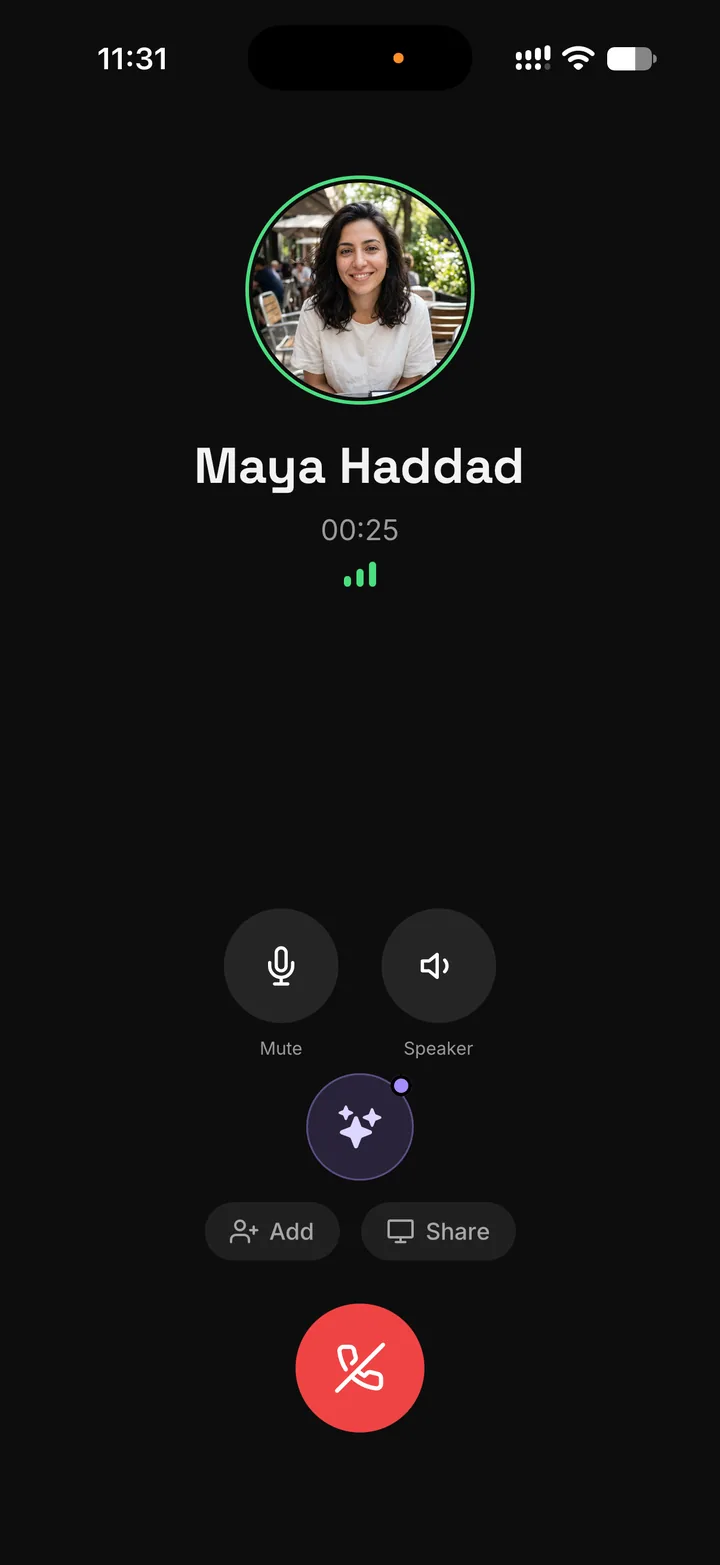
- 2 / 7Your assistant, one tap away.Mute, speaker, add someone, share your screen. And the AI button, which brings your assistant into the call whenever you want it.
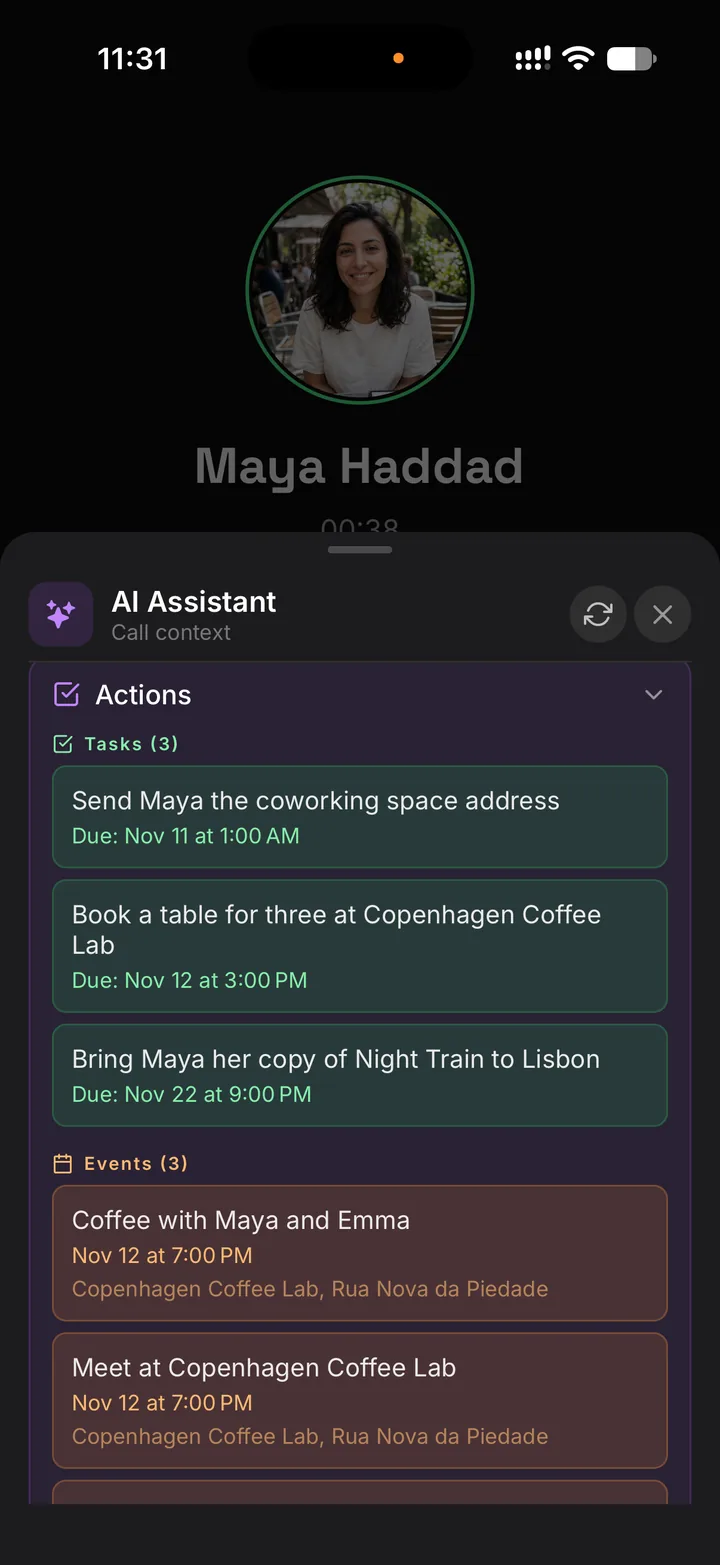
- 3 / 7Your open loops with Maya, mid-call.Tap it and everything still on the go between you is right there: the address you promised, the table for three on Thursday, the book to bring. Nothing to dig for.
- 4 / 7And a quick refresher.The same panel has what you already know about Maya, so the details are at hand mid-sentence.
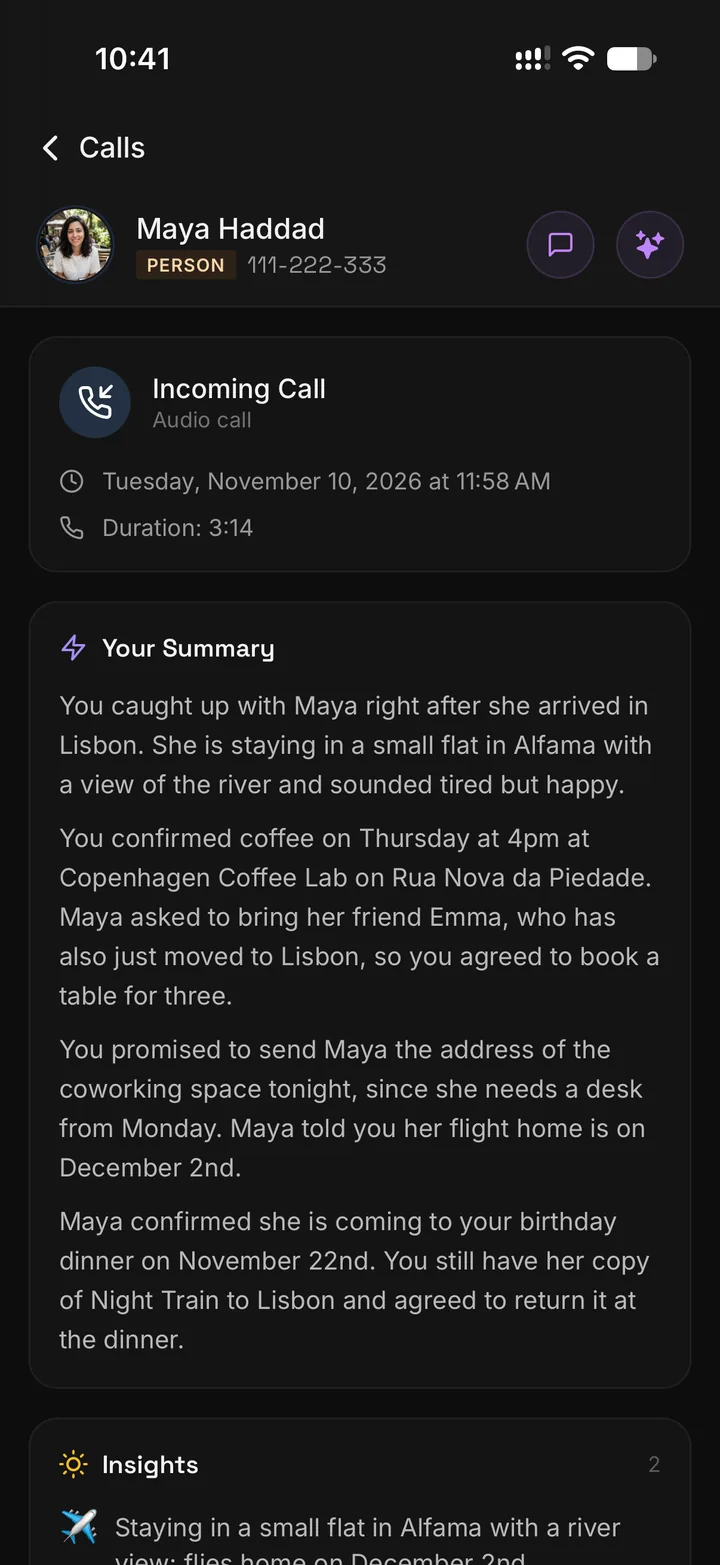
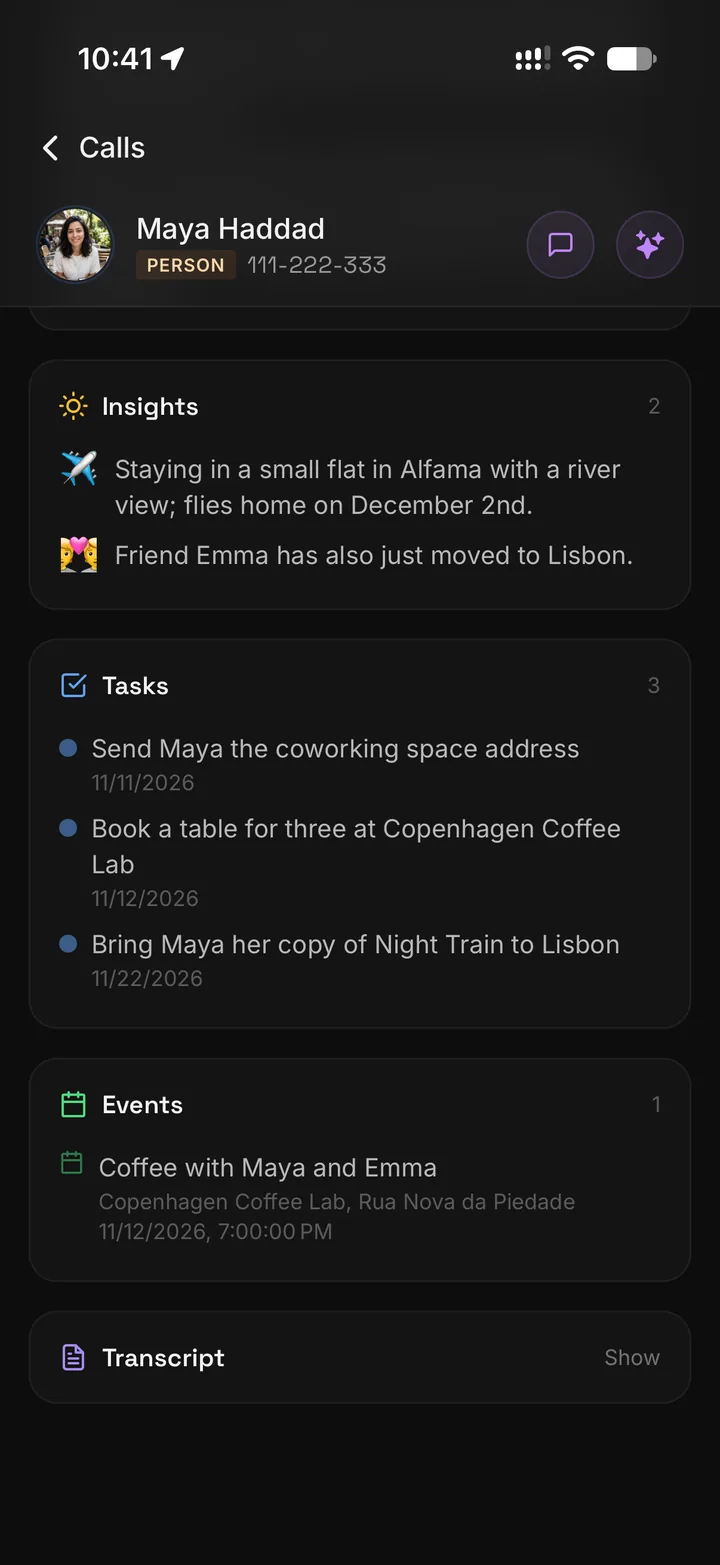
- 5 / 7Hang up. The summary is already written.Where she is staying, the table for three, the book you owe her, all in a few lines. The full transcript is one tap below, if you ever need it.
- 6 / 7Straight into your lists.The three tasks, the coffee on Thursday and two new things about Maya land in your tasks, calendar and memory, each with its date. Nothing to copy over.
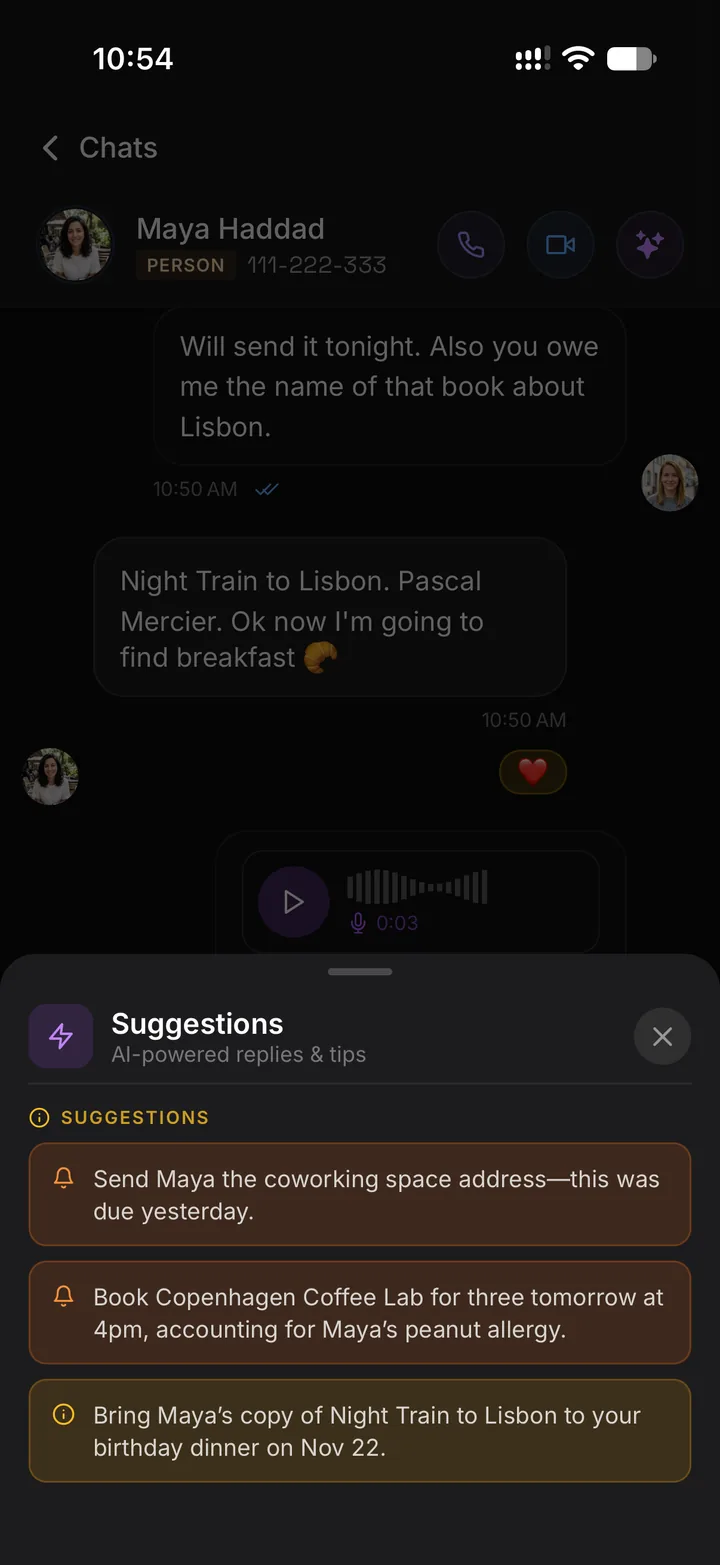
- 7 / 7In a chat, the same help.Tap the bolt in any thread for the gist and the next steps: the address you owe her, the booking, the book to bring on the 22nd.


06 Ringies
Every call brings a Ringie.
Ringies are funny animated characters, each with its own music. When someone calls, one of them shows up on the ringing screen and dances to its tune in place of the ringtone: happy, scared, sleepy, or very, very dramatic. A hundred of them, in five groups. On the web whenever a call rings, in the app while it is open in front of you; on iPhone they dance without the music.
- 1 / 4Someone calls. Someone shows up.Maya calls and a Ringie takes the stage, with its own music instead of the ringtone. Her photo and name sit right under it.
- 2 / 4Never the same one twice.Every call picks another Ringie and another mood: happy, scared, sleepy, dramatic. The music always matches. Hang up, call back, and see who turns up.
- 3 / 4They're stickers too.Every group is a sticker pack. A Ringie sticker plays its music once when it lands in an open chat; tap it to hear it again.
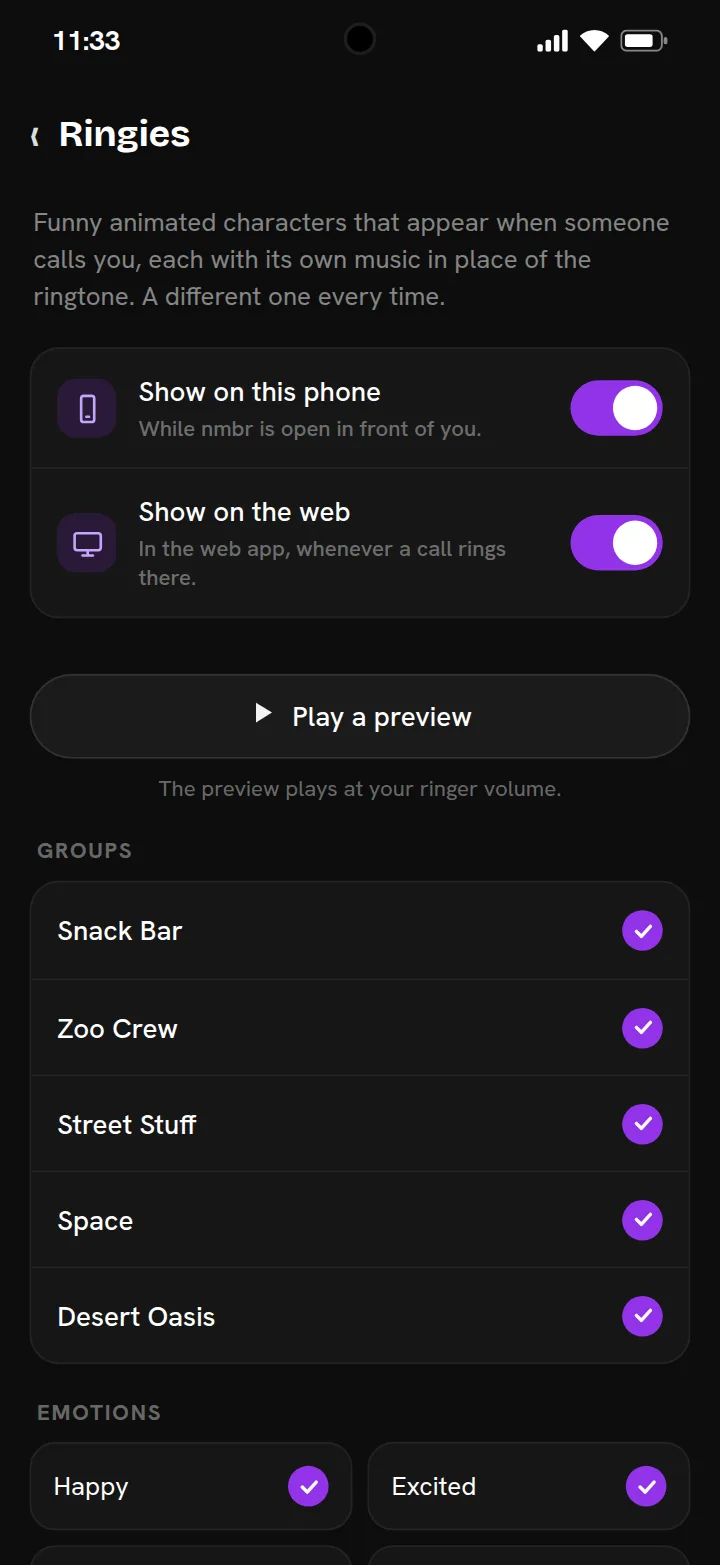
- 4 / 4You pick the cast.In Settings → General → Ringies, turn them on for this phone, the web, or both, choose the groups and moods, and play a preview. Not your thing? Switch them off and calls ring the way they always did.
07 Posts
A feed of people you actually know.
Share text, photos and video with family and close friends, and see what they share, newest first. No algorithm, no ads, nobody you did not choose.
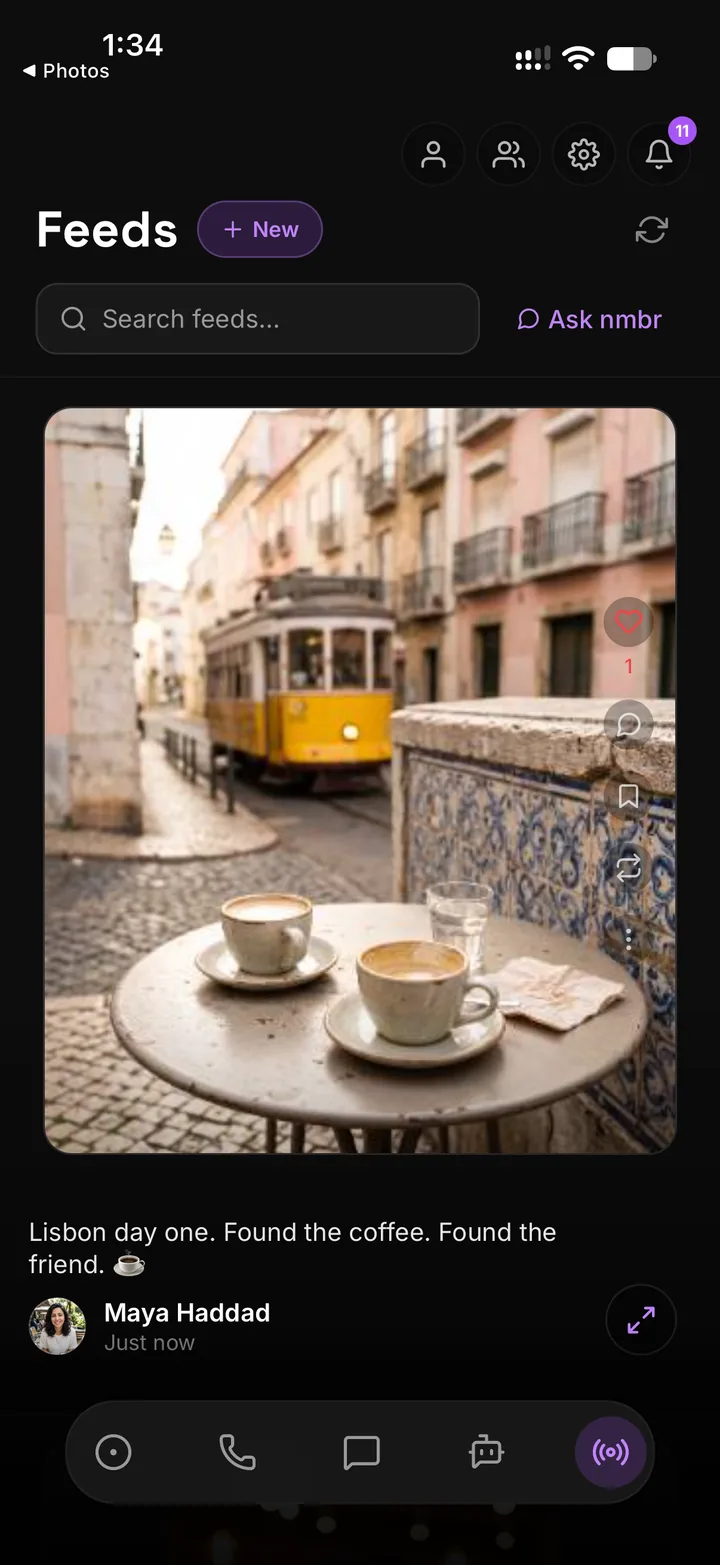
- 1 / 2Maya's first morning in Lisbon.One photo, shared with the people she chose. It shows at the top of their feed, because newest is first, always.
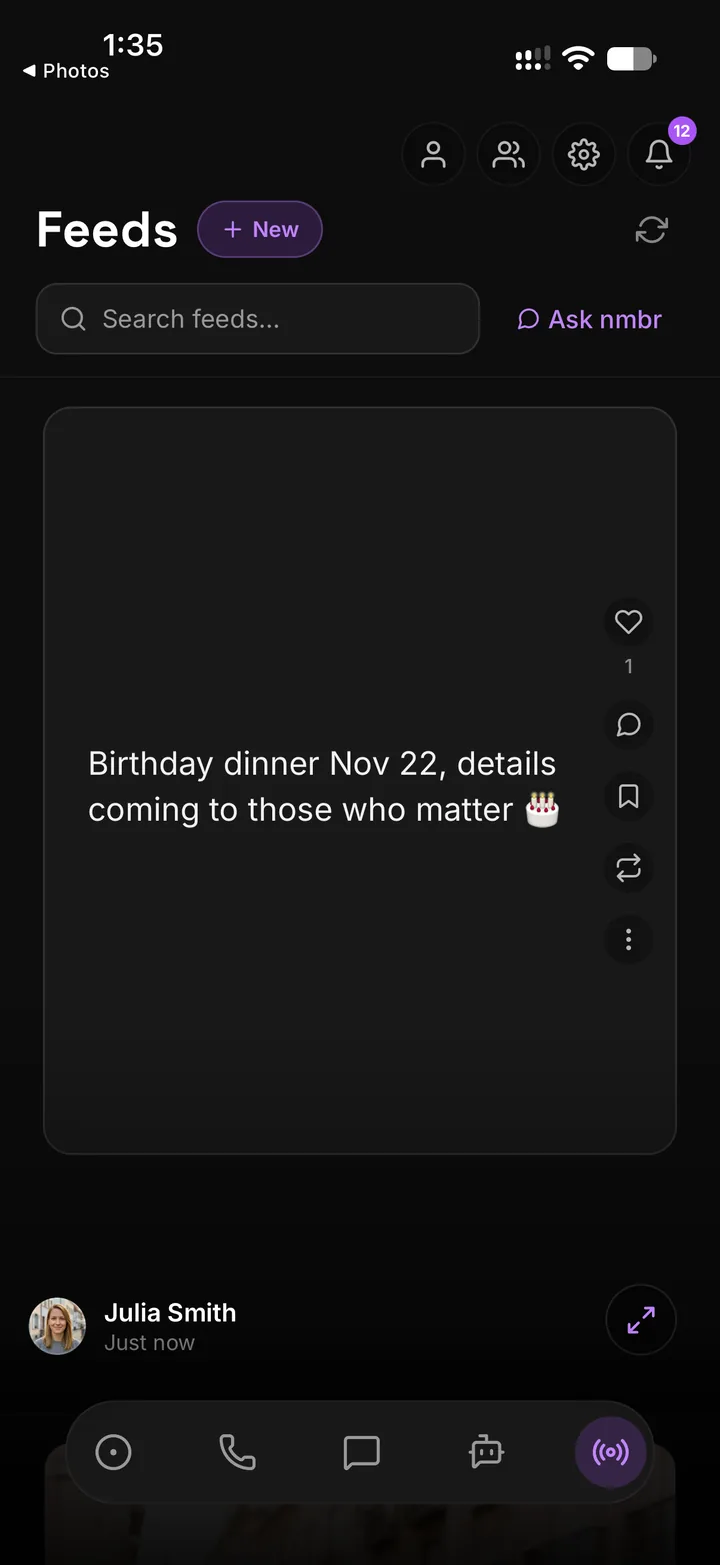
- 2 / 2Or just a line.Text works too. Like, comment, save, repost: the usual, with people who are actually yours.
08 Agents
A team of AI agents that works for you, and asks first.
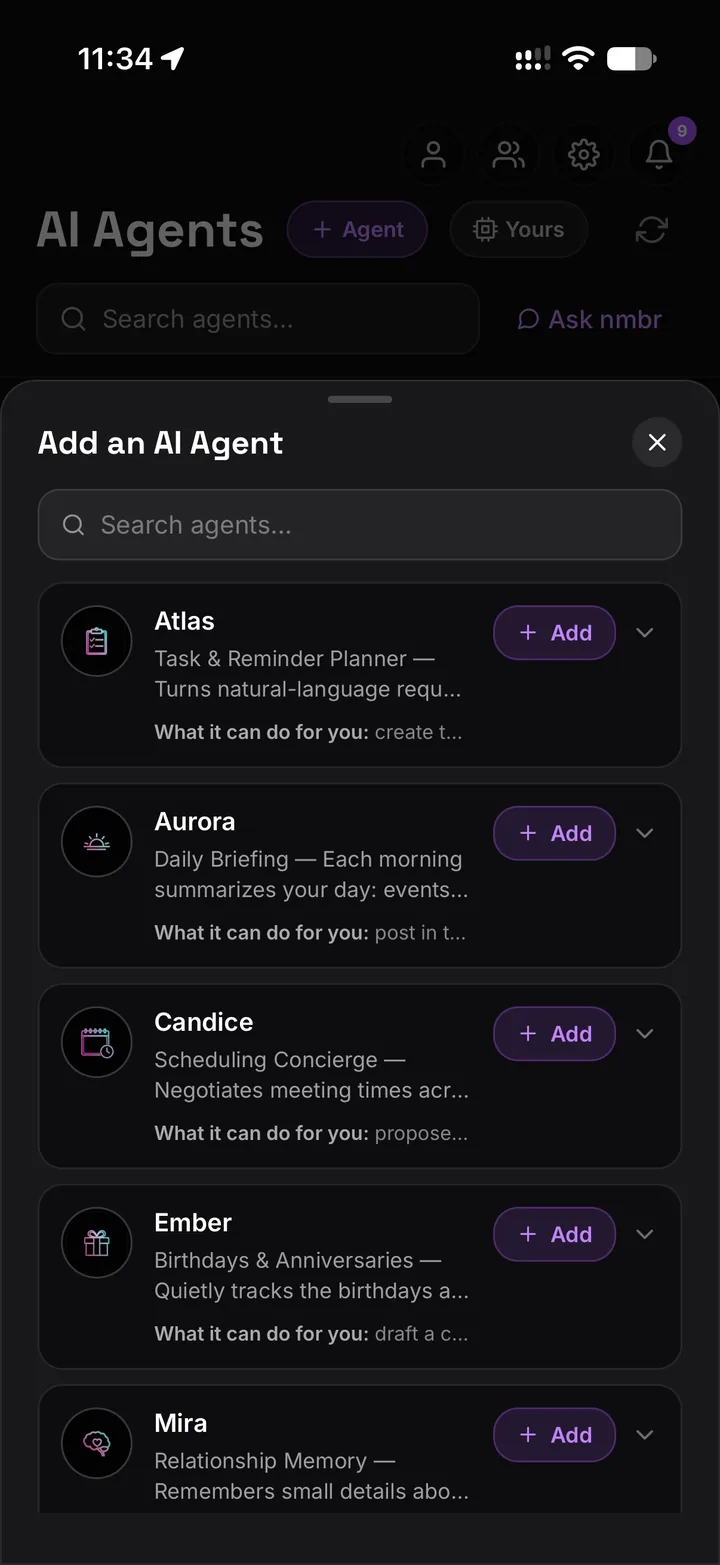
Add an agent the way you add a contact. Each has one job and its own chat. You decide how much freedom it gets: suggest only, where every idea arrives as a card you approve, edit or dismiss, or let it run on its own.
- Remy
- spots the chats that cannot wait and drafts a reply
- Aurora
- briefs you on your day each morning
- Mira
- reminds you of the small things before you call someone
- Otis
- nudges you when a friendship has gone quiet
- Ember
- keeps track of birthdays and anniversaries
- Candice
- finds a meeting time everyone can make
- Sage
- preps you a one-pager before each meeting
- Atlas
- turns “remind me to” into tasks and reminders
- 1 / 3Eight to choose from.Atlas plans your week, Aurora briefs your morning, Candice finds the meeting time, Ember never misses a birthday, Mira keeps the small details. Add one the way you add a contact.
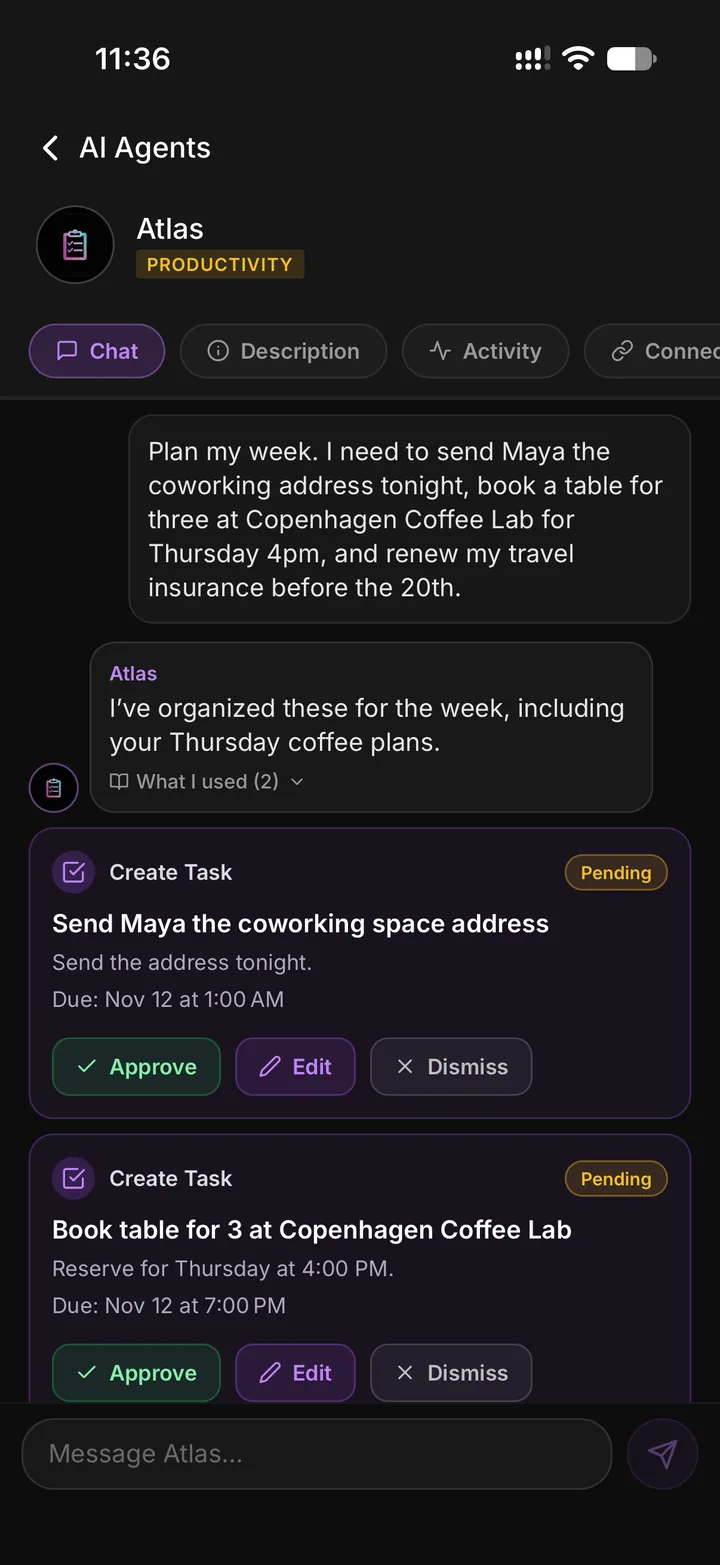
- 2 / 3It proposes. You approve.Tell Atlas to plan your week and it comes back in seconds with a card per task, each with Approve, Edit and Dismiss. Nothing happens until you tap, and each tap becomes a task on your list. Once you trust an agent, let it act without asking, per agent.
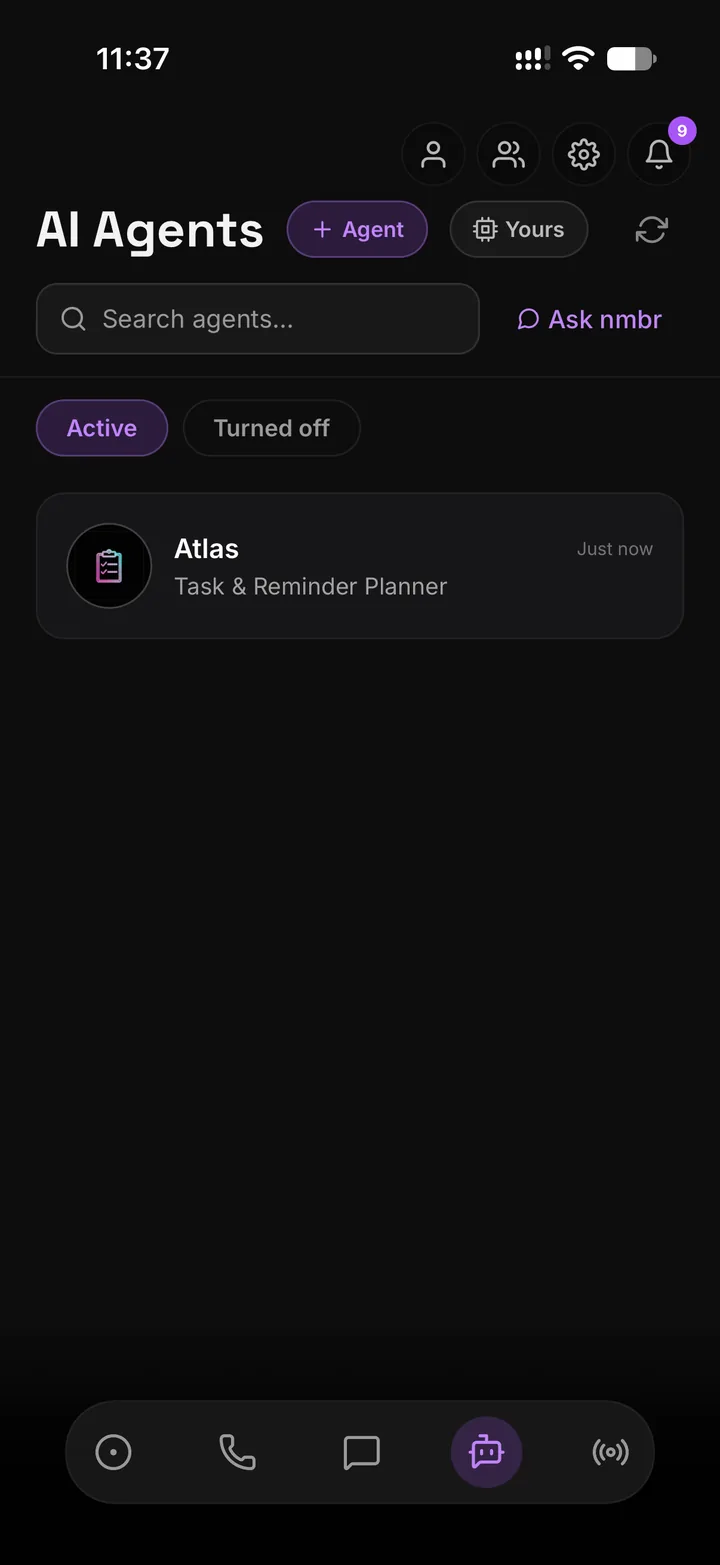
- 3 / 3Your team, in one place.Every agent you added, active or paused, each with its own chat and a log of what it did.
Convinced? Pick your nine digits.
09 Developers
Give your agent a nmbr.
If you have your own AI agent anywhere (on a laptop, a Mac mini, a VPS), you can communicate with it through nmbr. Add it in the app, and it gets its own 800 nmbr and a token, then text it from your phone like any other contact. No public URL and no bot platform in between. It sees only what you grant it.
$ npm i @nmbrai/sdk- Plugins, in beta: Claude Code, OpenClaw and Hermes Agent.
- Anything else: a TypeScript SDK and an OpenAPI spec. Long-poll from behind NAT, signed webhooks, or one WebSocket.
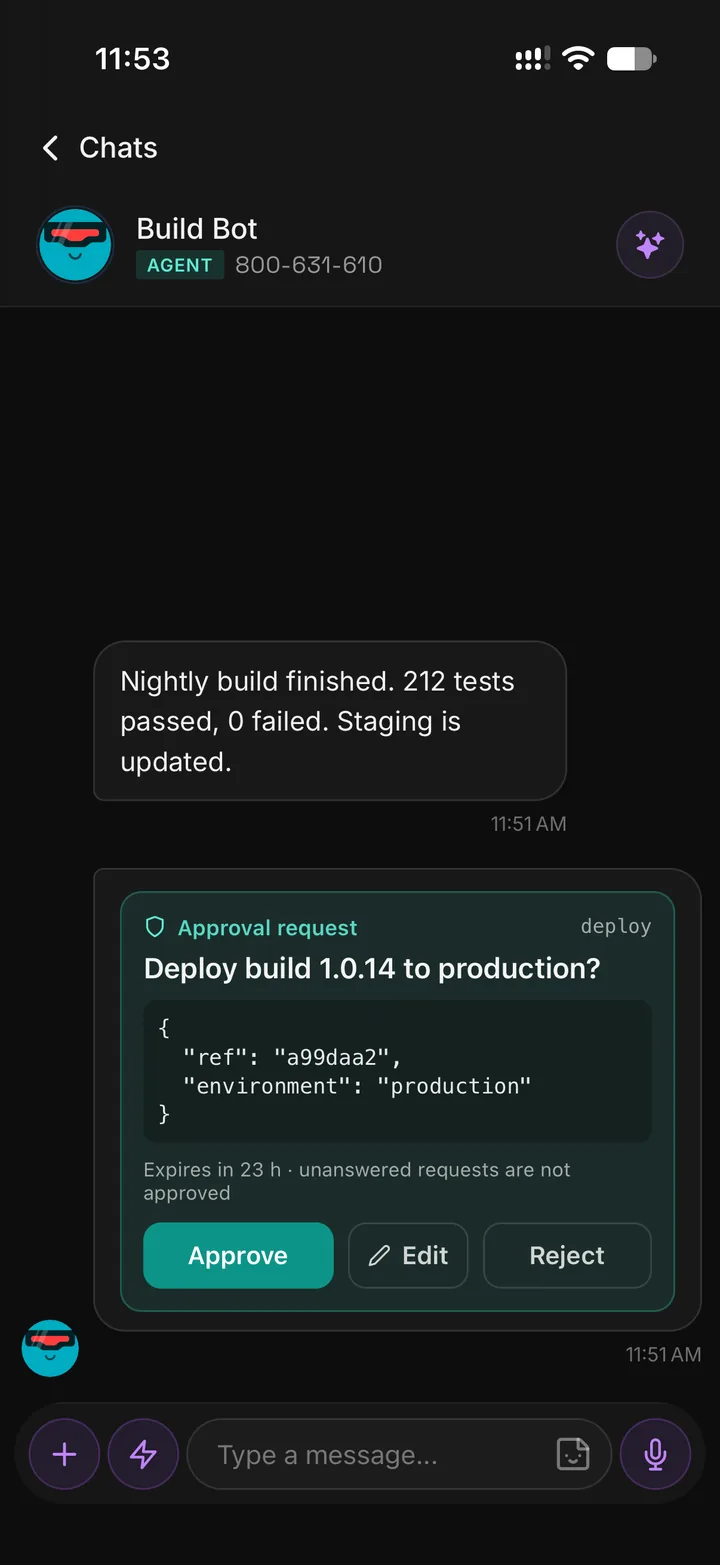
- It asks first: the agent proposes, you approve, edit or reject on a card. An expired card counts as a no.
- Today: you chat with your agent. Calling it is not available yet.
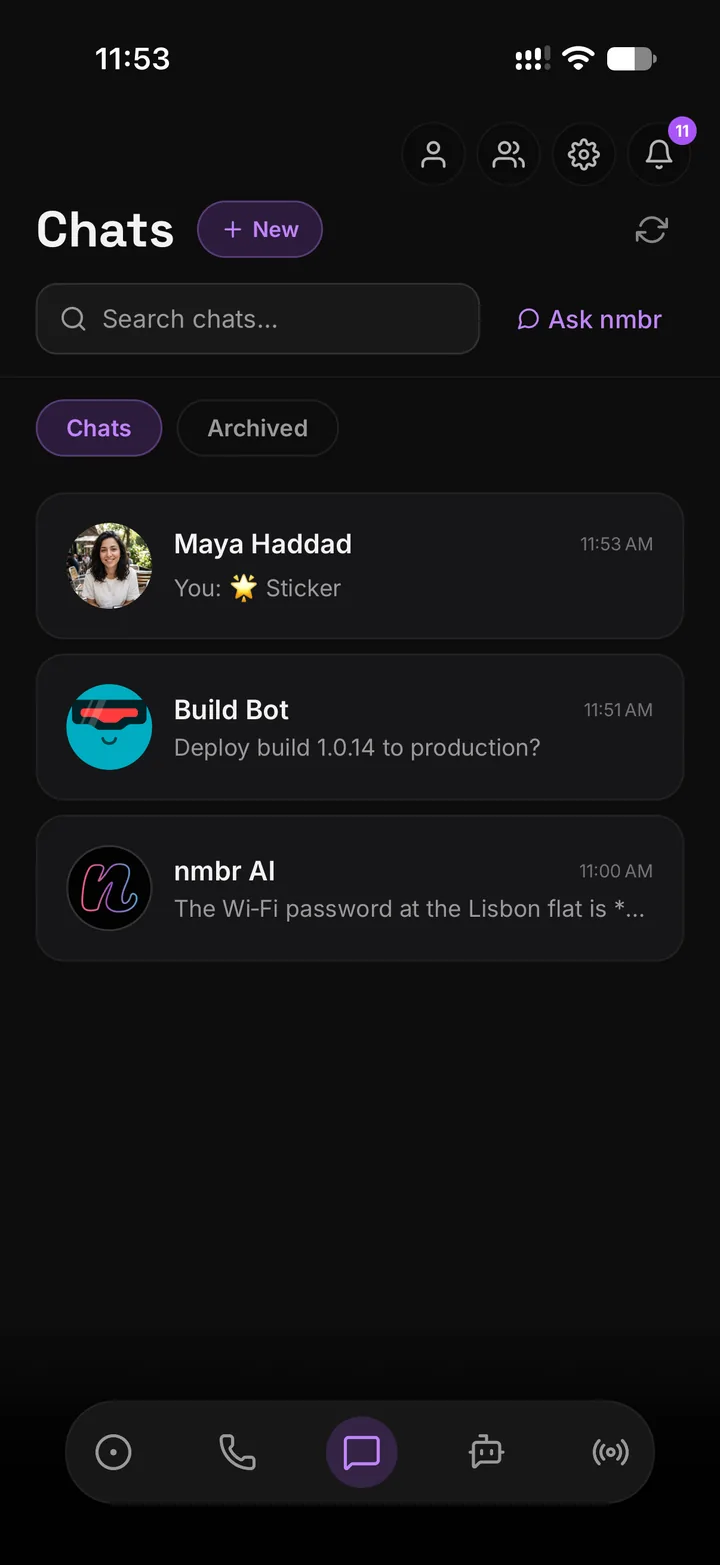
- 1 / 2Example: Build Bot reports in.An agent you run yourself gets an 800 number. It texts you when the nightly build is done and asks, on a card, before it deploys.
- 2 / 2Always with you.It sits in Chats like any contact. Same approvals, same closed network, no bot platform in between.
10 Privacy and security
What we protect, and why.
An assistant that remembers your conversations has to be able to read them. But it is all encrypted in transit and at rest, never used for training, and you can see all your active sessions to make sure no one is listening in on your calls or reading your chats.
Encrypted
In transit and at rest, with AES-256-GCM.
Calls
Transcribed after they end, not during. Your phone records only your own voice, the audio is deleted immediately once transcribed, and the transcript stays yours.
Not used for training
Your calls and chats are not used to train AI models.
A closed network
Only people you accepted can contact you or see your posts.
Your account
You sign in with your nmbr and a password. Every active session is listed, and you can end any of them.
Fair questions.
Is it free?
Yes. Sign up, pick your nine digits and start. Some number formats are premium.
Can I call ordinary phone numbers?
No. A nmbr calls and messages other nmbrs. That is also why nobody can spam you on it.
How do my friends reach me?
They get the app, type your nine digits or scan your code, and you accept. Or send them your invite link: they join, and you are connected straight away.
Does the AI listen to my calls?
Not while you talk. Nobody and nothing sits in on a nmbr call, and nothing is analysed live. When the call ends, your phone’s recording of your own voice is transcribed, the audio is deleted, and the transcript writes your summary, pulls out the dates and to-dos, and keeps the things you will want later. The transcript is yours alone, it is never used to train AI models, and everyone on the call is on nmbr, so everyone knows this is how it works.
Can an agent act without me?
Only if you tell it to. Each agent is either suggest-only, where it proposes and waits for you, or allowed to act on its own. An agent you bring yourself always asks.
Install the app.
On iPhone and Android, or as a web app on your computer.
